




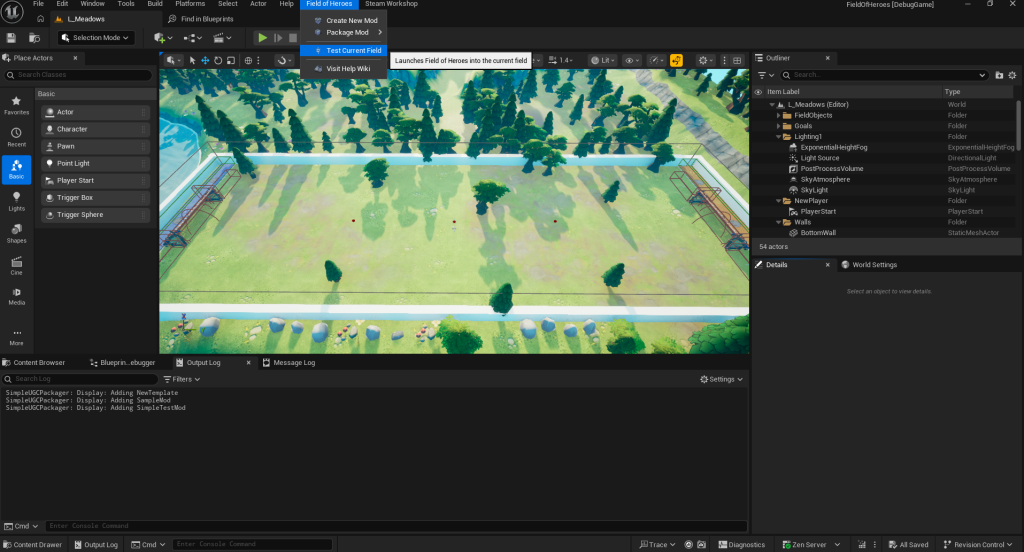
When you’re verifying that your field works before distribution, you should test it at least once from Field of Heroes. To do that, follow these steps:
- Open the level corresponding to the field you want to test. It must be in a mod you created.
- Package the mod by going to the Field of Heroes menu, Package Mod and then selecting your mod. This is necessary so that the packaged mod is copied into the Field of Heroes install folder for testing.
- Begin testing by going to the Field of Heroes menu and selecting Test Current Field. This will verify the packaged mod is up to date with your field changes, then copy the mod into the Field of Heroes install path and then launch the game with instructions to open your field.