




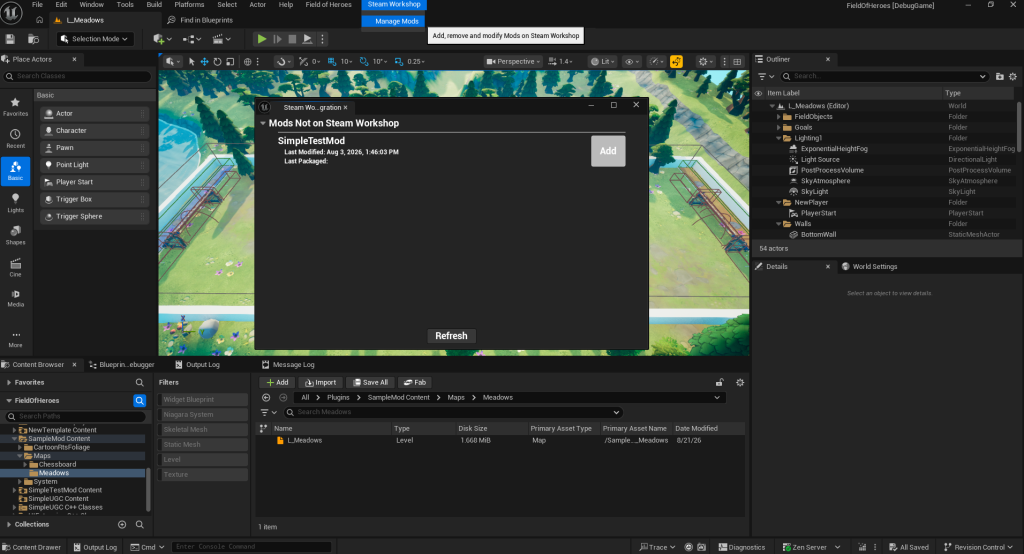
Once your field is ready to share with other players, do the following in order:
Read the EULA
Make sure you are familiar with the Field of Heroes Creator Kit END USER LICENSE AGREEMENT.
Package your Mod
Go to the Field of Heroes menu, go to Package Mod and then select your mod. This is necessary so that the packaged mod containing your field is uploaded to Steam Workshop.
Upload your Mod to Steam Workshop
First, make sure your Steam client is open. It must be running in order for the Creator Kit to communicate with Steam Workshop.
Then click on the Steam Workshop menu and select Manage Mods. Then click the Add button to upload it to the workshop.
Edit your Workshop Item
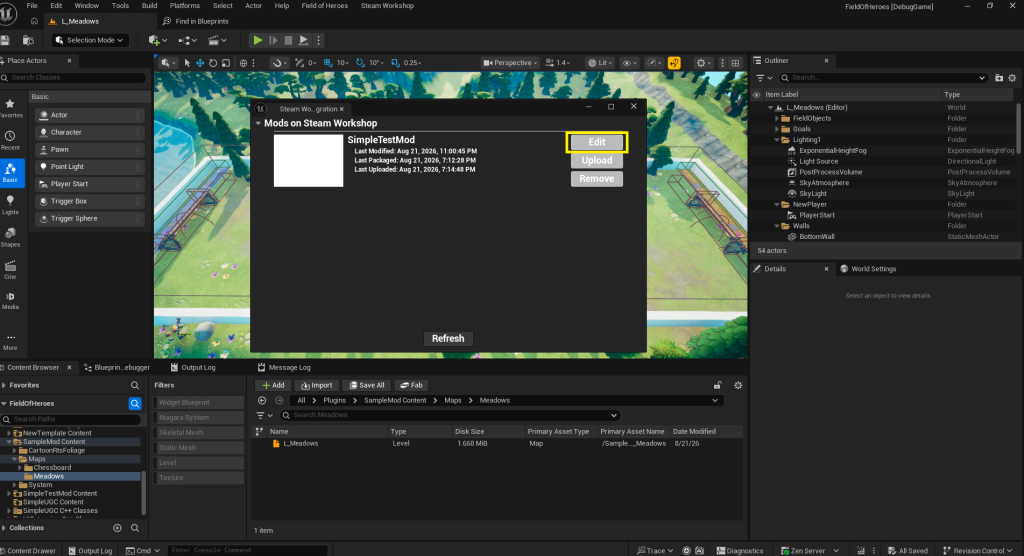
Once your Mod has been uploaded, you should see it under the Mods on Steam Workshop list. Here you can click the Edit button to edit your mod’s details and make it available to players.
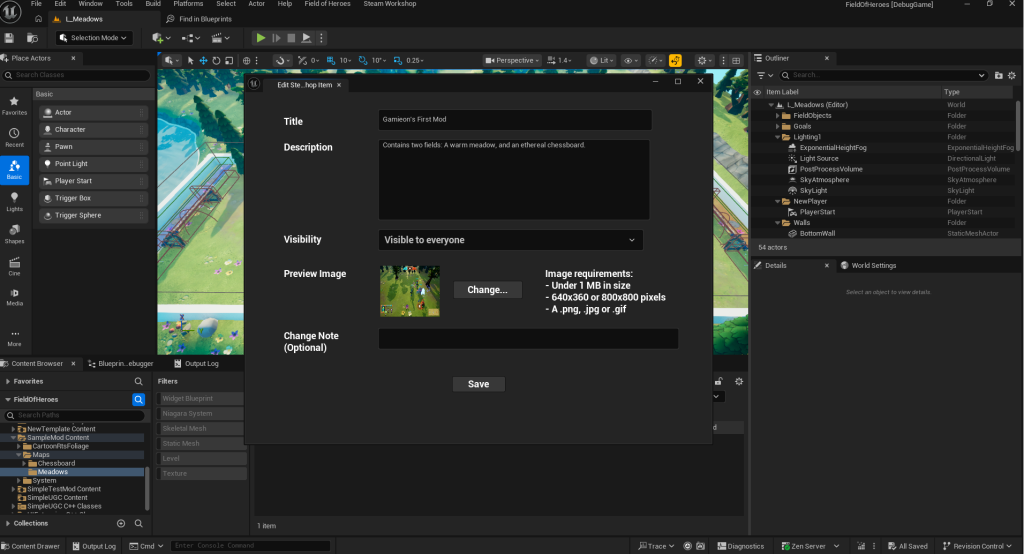
From here you can set a title, description, visibility and assign a preview image to your mod (must be 640×360 or 800×800 pixels big). When finished, click the Save button.
Then your item should appear on the Steam Workshop.